Only the Marketplace listings worth your time.
MarketClean filters Facebook Marketplace right in your browser — enforce a real distance limit, block junk keywords, and hide listings you've already seen.
Works in Chrome, Edge, Firefox & Brave · No account needed
See exactly what it does
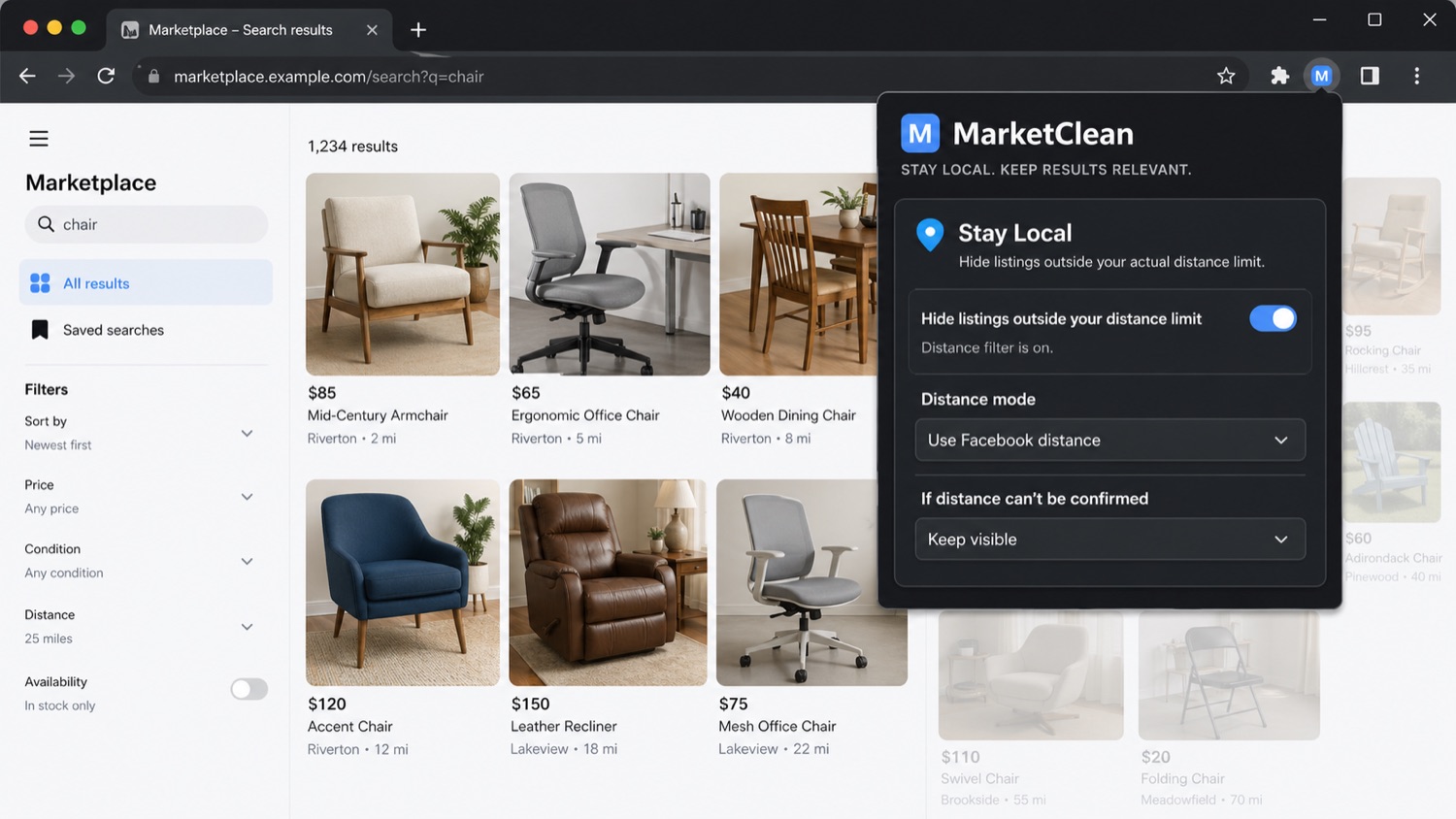
Three filters, one panel. Here's what each one changes on a real Marketplace feed.
Set a real distance limit. Listings outside your range are hidden — even when Marketplace quietly expands the radius.
Up and running in thirty seconds
Add to Chrome
Install MarketClean from the Chrome Web Store in one click. No account, no setup, no permissions popups beyond Marketplace.
Open Marketplace
The MarketClean panel appears in your browser, ready on the Facebook Marketplace feed, search, and Saved pages.
Set your filters
Choose your distance, keywords, and feed-cleanup rules. Filtering happens instantly as you scroll — no reload needed.
Everything in one panel
No dashboards and no account. Every filter lives in a single popup that runs on top of Marketplace.
MarketClean vs. Facebook's built-in filters
| Filter | MarketClean | Facebook (built-in) |
|---|---|---|
| Enforce a strict distance limit | ✓ Yes | Radius only, often widens |
| Block unwanted keywords | ✓ Yes | ✕ No |
| Require keywords / exact phrase | ✓ Yes | ✕ No |
| Hide listings you've already seen | ✓ Yes | ✕ No |
| Clean up sold / unavailable Saved items | ✓ Yes | ✕ No |
Questions Marketplace buyers actually have
Can MarketClean hide Facebook Marketplace listings that are too far away?
Yes, with MarketClean Pro. Marketplace's own distance setting is soft: it keeps showing listings from farther away than the radius you picked. Among MarketClean users who keep Facebook's own radius and location, a median 18% of the listings with a readable location were outside that radius, and for a quarter of them 40% or more (175 installs, October 2026). MarketClean reads each listing's location, measures the distance from your center and hides what falls outside your limit; listings whose location can't be read are kept, faded or hidden, your choice. The distance filter is part of MarketClean Pro, with a 7-day free trial and no card needed.
Can I block keywords on Facebook Marketplace?
Yes. You can hide listings that contain blocked keywords, require listings to contain certain keywords, and enforce exact phrase matches for stricter filtering.
Can MarketClean hide listings I have already viewed?
Yes. MarketClean can hide listings you have already viewed, help you focus on unseen listings, and make the feed feel fresher.
Can it clean up unavailable Facebook Marketplace saved listings?
Yes. MarketClean can hide listings in Saved when they appear unavailable, sold, pending, removed, or otherwise no longer useful.
Does MarketClean automate Facebook Marketplace?
No. MarketClean is a buyer-side browser extension that runs locally in your browser. It does not post listings, send messages, or automate Facebook actions.
Do I need an account to use MarketClean?
No. There is no separate MarketClean account. Install the extension and use it directly in your browser.
Is MarketClean free?
Yes — MarketClean is free to install, and its core features are free: hiding shipped and opened listings, the price filter, newest-first sorting, Saved cleanup, up to 5 keywords and 3 presets. MarketClean Pro adds the distance filter, ad hiding, unlimited keyword lists, new-listing highlights and more presets, after a 7-day free trial ($4.99/month or $39/year).
How do I get Pro on another computer, or cancel?
Open the MarketClean popup on the other computer and choose “Already paid? Restore purchase”, then confirm with the email you used at checkout — one subscription covers up to 5 browsers. To change your plan or cancel, click Manage in the popup header, which opens the Stripe customer portal; you keep Pro until the end of the paid period. Full details on the support page.
Browse Marketplace with less clutter.
Install MarketClean and make Facebook Marketplace feel local, relevant, and predictable again.
A companion extension for distraction control — block Facebook Reels, reduce impulsive scrolling, and schedule when Marketplace is available. MarketClean cleans up listings; Focus protects your attention.